How to download Instagram videos and photos
Saving a public Instagram post with SaveMeClip takes three steps: copy its link, paste it, pick a file. This guide walks through each one, explains what every button gives you and what to do when a link doesn't work.
Open the downloaderStep 1: copy the post's link
Every post and Reel has its own address, and that's all SaveMeClip needs: no login, no password.
- In the Instagram app: open the post and tap the paper-plane share icon below it, or the three dots in its top corner, then tap Copy link. On a Reel, the same icons are in the column on the right of the screen.
- On instagram.com: open the post, click the three dots and choose Copy link. While a post is open, the browser's address bar also shows its link, so you can copy it from there.
A link from the app often ends with something like ?igsh=… Leave it: SaveMeClip only reads the part that identifies the post.
Step 2: paste it into SaveMeClip
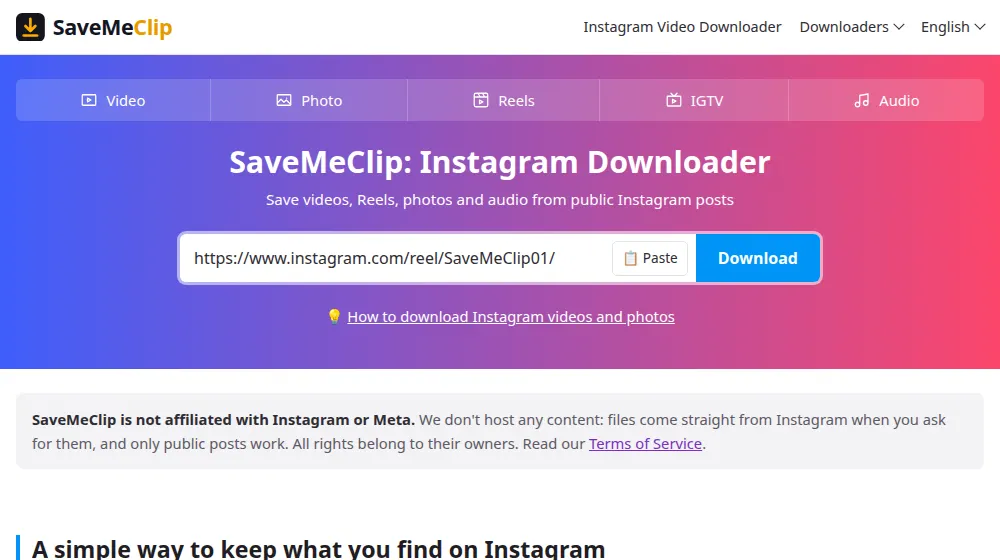
Open SaveMeClip in any browser and put the link in the box at the top. The Paste button, shown when your browser lets websites read what you copied, pastes and starts the search in one tap; some browsers ask for permission first. Without it, press and hold the box (or right-click it), paste, then press Download.
While the page says Looking for the files…, it runs a quick automatic check that you're a person and then asks Instagram for the post. This usually takes a few seconds.
Step 3: choose a file
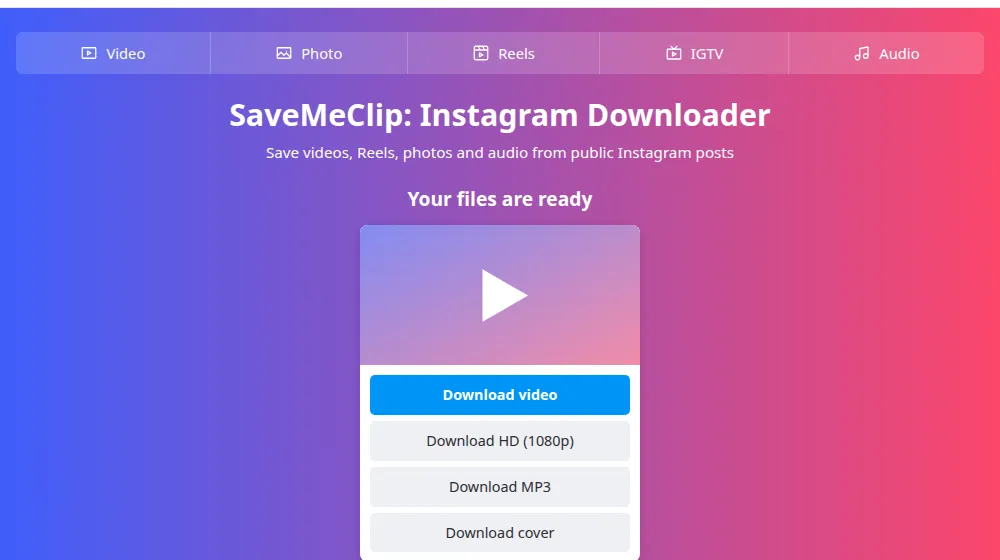
A list headed Your files are ready takes the box's place, with one card for each photo or video in the post and a button for everything it offers. Press one and the file is saved to your device. To start over, press Download another.
What each button gives you
- Download video: an MP4 with picture and sound together, the ready-made version Instagram plays to most viewers. It's the most compatible choice.
- Download HD: appears when Instagram keeps a sharper version, which it stores as separate picture and sound. Our server joins the two as the file downloads, without re-encoding, so nothing is lost. The number in brackets, such as 1080p, is the resolution of the shorter side.
- Download MP3: the post's sound, converted to a 192 kbps MP3 while it downloads. It appears only when Instagram delivers the sound as a track of its own.
- Download cover: the still image that represents a video, as a JPG.
- Download photo: the largest version of the image that Instagram offers, as a JPG, passed along untouched.
HD and MP3 files are put together as they download, so your browser can't show their size or a percentage. Wait for them to finish before opening them.
What each kind of post contains
- Videos and Reels give a card with the video, the HD version when Instagram has one, the MP3 and the cover. Reels stay vertical, just as they were posted.
- Photo posts give a single card with Download photo.
- Carousels, the posts with several slides, give one card per slide in the order they appear on Instagram, and each slide can be a photo or a video. The same link covers the whole carousel, whichever slide you were looking at when you copied it.
- Old IGTV videos work like any other video, whether the link has /tv/ or /p/. The IGTV page has tips for long files.
File names and quality
Every file starts with savemeclip- and the post's code: a Reel at instagram.com/reel/ABC123/ saves as savemeclip-ABC123.mp4, and its HD version as savemeclip-ABC123-1080p.mp4. Carousel items get their position added, as in savemeclip-ABC123-2.jpg. Search your device for savemeclip and they all turn up.
Quality is whatever Instagram stores. SaveMeClip doesn't compress, resize or watermark anything, but Instagram shrinks uploads: videos are often kept at 720p or 1080p, photos at up to 1080 pixels wide. If a video has no HD button, there's no sharper copy to fetch.
Guides for your device
Where the file lands depends on your device and browser. These guides show each step, including how to get a video into your photo library:
If it doesn't work
- Private accounts. SaveMeClip only reads what anyone can see without logging in. To test a link, open it in a private browser window: if Instagram asks you to log in, it can't be downloaded here.
- Stories. Instagram shows Stories only to people who are logged in, so a story link gets the message that the content isn't public. Your own stories can be saved from your Archive in the Instagram app.
- A wrong or incomplete link. The link must point to a post, with /p/, /reel/, /reels/ or /tv/ followed by a code. A profile, an audio page or a hashtag page won't work.
- Instagram is limiting requests. Every so often Instagram turns requests away for a while. Wait a few minutes and try again.
- A download fails after a while. Download links stay valid for two hours after the search. If the page has been open longer, press Download another, paste the link again and use the new buttons.
- It says it couldn't confirm you're a person. An extension or a strict privacy setting is probably blocking the automatic check. Allow it on this site, or try another browser, and reload.
- An HD or MP3 download is refused. Our server builds these two at a time for each visitor, so let one finish before starting a third. If the server is full, try again a minute later.
- The file has no sound. Check that the player isn't muted. Some posts are silent on Instagram too, because the music was removed or the video was posted without sound. If the post has sound there but your file doesn't, try Download HD, which takes the sound track separately.
- The file won't play. Some HD files use the VP9 format, which a few older players can't read: use Download video, or play the HD file in VLC. A download cut short leaves an incomplete file, so download it again.
Still stuck? Write to us with the link you tried and what the page said.
Use what you save fairly
Downloading a post doesn't make it yours. Keeping your own videos or watching a class offline is one thing; posting someone else's work as yours is another, and it can break copyright law and Instagram's rules. Ask before you reuse anything, credit the creator, and remember that SaveMeClip only works with public posts, by design. Rights holders can ask us to block a post.