Save an Instagram video in a few seconds
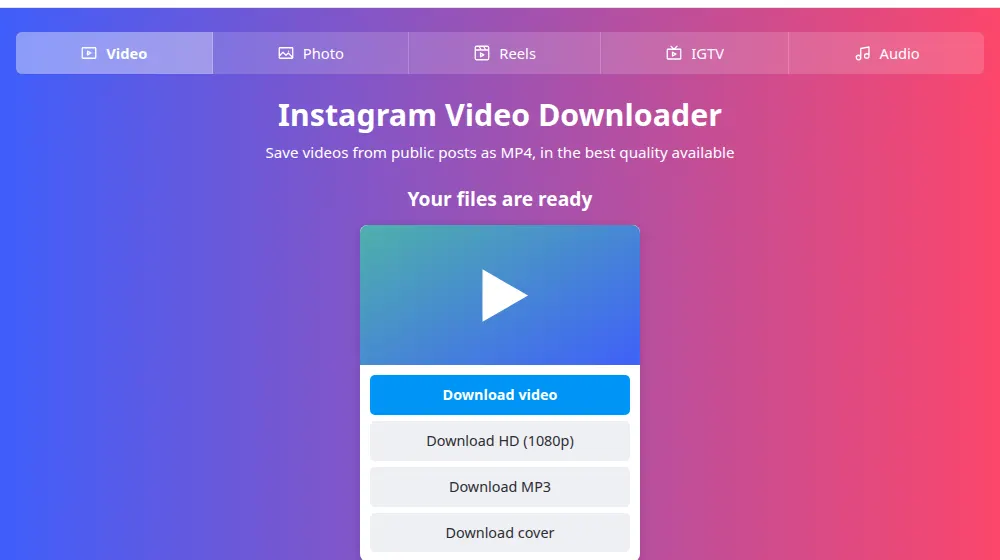
Copy the link of a public Insta post, paste it above and press Download. You'll get a preview and a button for each version available. The file is a regular MP4 that opens in any player and in any video editor.
How to download an Instagram video
- Open the post on Instagram, tap the three dots (…) or the share icon and choose Copy link.
- Paste the link in the box at the top of this page and press Download.
- Wait for the preview. Press Download video, or Download HD when that button appears.
- Find the MP4 in your downloads folder. It's ready to play, share or edit.
Which quality should I choose?
Instagram stores several versions of each video. SaveMeClip shows you what's there instead of guessing:
- Download video is the version with picture and sound in one file. It's the most compatible, and the best choice for sharing or for older devices.
- Download HD, when it appears, is the highest resolution on Instagram's servers, which keeps picture and sound apart. We join them for you, without re-encoding, so nothing is lost. Some of these files use the newer VP9 format: if your player shows no picture, use the regular version or VLC.
- Download cover saves the still image that represents the video.
When a video has more than one file
A carousel can mix photos and videos. In that case you'll see one card per item, each with its own buttons, so you can pick only the parts you want.
Good reasons to download a video
For anything you plan to publish again, get the creator's permission first.
- Backing up your own posts before changing or closing an account.
- Using your own footage in a longer edit.
- Watching a tutorial offline.
- Keeping a copy of a client's approved video for your records.
Frequently asked questions
What format are the videos in?
MP4, which every phone, computer and video editor can open. Picture and sound are in the same file. If you only need the sound, the audio tool gives you an MP3 from the same link.
What's the difference between the video and HD buttons?
Download video is the ready-made file Instagram serves to most viewers. Download HD appears when a better version exists, with its resolution next to the name. In that version, picture and sound are joined while the file downloads. When both appear, HD is the one to pick if you have the space.
Why is my video only 720p?
We can only deliver what Instagram has stored. Many videos are uploaded or kept in 720p, even when they were filmed in higher quality. If there's no HD button, no larger version is available, and only the author has the original file.
Is there a length limit?
We don't set one. Longer videos simply take more time, and the file downloads while it's being fetched. On a phone, stay on the page and keep a stable connection until it finishes, because a long download may stop if the browser goes to the background.
The HD download doesn't show the total size. Is that normal?
Yes. Picture and sound are joined as the file is sent, so the size isn't known in advance, and your browser can't show a percentage. The download finishes normally. Wait for it to end before opening the file.
Can I save a video from my own account?
Yes, if the account is public: copy the link and paste it here. If your account is private, Instagram's own Download your information option, in Accounts Center, gives you a copy of everything you've posted.