Reels, on your device
Instagram lets you bookmark a Reel, but a bookmark disappears when the author deletes the clip. Saving the file keeps it safe, and it plays anywhere. Open the Reel, tap the share icon, choose Copy link and paste it above.
Reels without Instagram's watermark
The download option Instagram offers in the share menu of public Reels stamps the Instagram logo, the account's name and the audio credit on the picture. SaveMeClip saves the video the way Instagram streams it to viewers instead, as it was posted, without that stamp.
What you get
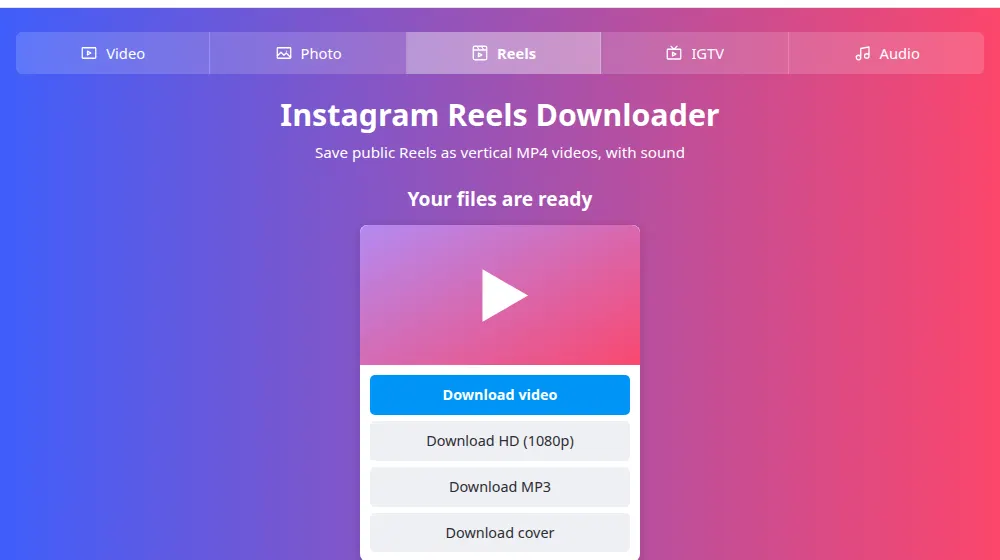
- A vertical 9:16 MP4, ready for your phone's gallery or an editor.
- The sound that's in the Reel, built into the file.
- An MP3 button, in case you only want the audio.
- A cover image, useful for a thumbnail of your own Reel.
Creators: keep your own Reels
If you make Reels, downloads are an easy way to reuse your work. Instagram's own save can leave out the music, and old drafts vanish when you change phones. Keeping a clean copy of each published Reel lets you cut it for YouTube Shorts or TikTok, build a highlight reel for a client, or just have a backup in case something happens to the account.
A note on music and reposts
Reels often use licensed songs. The license Instagram holds covers use inside Instagram, not everywhere else, so a clip that's fine there can be flagged on another platform. And if a Reel isn't yours, ask before you reuse it, and credit the creator.
Frequently asked questions
Do downloaded Reels have a watermark?
Not Instagram's. Its logo and the account's name are only added by the app's own download option, while we save the video as Instagram streams it and don't add anything. Any mark burned into the video by its author, or by another app such as an editor, stays there, because it's part of the picture and can't be separated from it.
Does the download include the music?
Yes, the sound you hear in the Reel is in the file, including any music. The rights to that song are separate from the video: it's fine to keep and watch, but posting it again may get the sound muted or removed by the platform.
Can I download Reels on iPhone?
Yes. Use Safari, paste the link here and press the button. The file goes to Files, in Downloads, and from there you can save it to Photos. See the iPhone guide for each step, including what to do if the file doesn't show up.
Can I download a Reel from a private account?
No. Only public Reels work, the ones anyone can open without logging in. If the owner's account is private, the link won't work here, and we have no way around that. You can ask them to send you the file.
What size and quality will the Reel have?
It stays vertical, in the format it was posted, and at the best resolution Instagram has for it. That's usually 720p or 1080p. When there's a better version, the Download HD button shows its resolution, so you know what you'll get before saving.
Can I save only the cover of a Reel?
Yes. Download cover saves the image shown on the Reel's preview, separately from the video. It's useful for creators who want the same image for a playlist or a thumbnail on another platform, as long as the Reel is theirs or they have permission.