Keep a Facebook video before it scrolls away
Facebook lets you save a video to a list inside the app, but not to your device. That list disappears when the post is deleted, and it's no help on a flight or in a slideshow. SaveMeClip takes the link of a public Facebook video or Reel and gives you the file itself, as an MP4 that any phone, computer or editor can open.
It works in the browser, with no app, extension or login, and you don't need a Facebook account to use it.
How to download a Facebook video
- Open the video on Facebook. In the app, tap Share and then Copy link. On a computer, open the video on its own page and copy the address from the browser's address bar.
- Paste the link in the box at the top of this page and press Download.
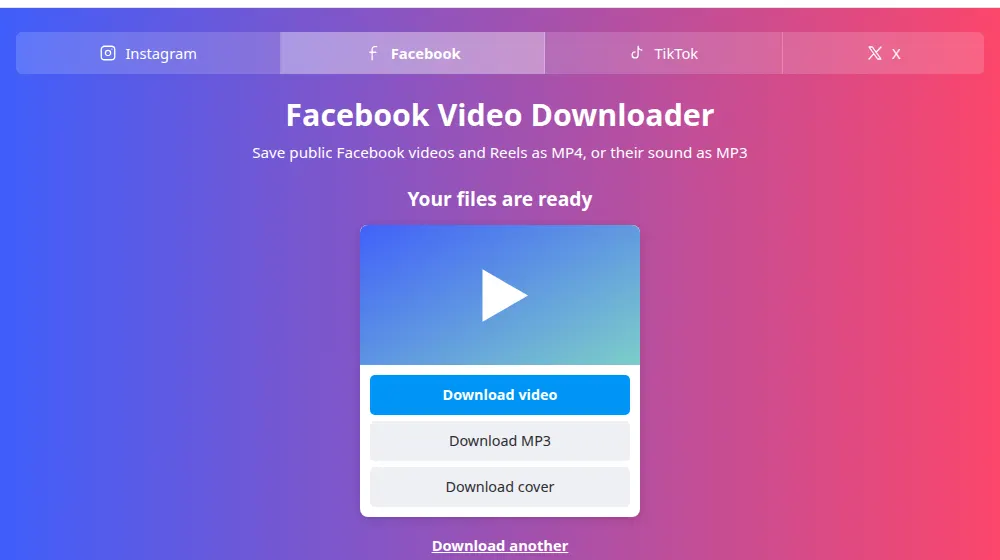
- Wait for the card with the buttons, then press Download video, or Download MP3 if you only need the sound.
- Open your downloads folder: the MP4 has a name that starts with savemeclip-facebook, followed by the video's number.
Which links work
A link to a post, a profile or a group isn't enough on its own. Open the video itself, so that it plays by itself on the screen, and copy the link from there.
- Videos: facebook.com/watch?v=…, facebook.com/video.php?v=… and the videos of a Page, like facebook.com/PageName/videos/….
- Reels: facebook.com/reel/….
- Share links: facebook.com/share/v/… and facebook.com/share/r/…, the ones the app copies, and the short fb.watch/… links. SaveMeClip opens them on Facebook's own site only to find out which video they point to.
- Mobile and language versions, such as m.facebook.com or pt-br.facebook.com, as long as the rest of the link is one of the above.
What you get
Some newer Facebook videos are stored in the VP9 format. Most phones and browsers play it, but some older editors and TVs don't: if a file shows sound but no picture, open it in VLC or convert it.
- Download video is the best ready-made file Facebook offers for that video, with picture and sound together. Facebook decides its size: often HD, sometimes lower for older uploads.
- Download MP3 turns the video's sound into an MP3 at 192 kbps, handy for a talk, a song you have the rights to or a voice message.
- Download cover, when Facebook has one, saves the still image shown before the video plays.
Private videos, groups and live broadcasts
SaveMeClip sees Facebook the way a visitor who isn't logged in sees it. A video shared only with friends, posted in a private group or limited by age or country isn't public, and you'll get a message saying so. We don't log in, borrow anyone's account or get around those settings: they exist to protect the people who chose them.
A live broadcast usually can't be saved while it's on air. Wait until it ends and Facebook keeps it as a regular video, then try the link again.
Respect the people who posted it
A video being public doesn't make it free to reuse. Keeping a copy of your own videos, or of something for personal reference, is very different from posting someone else's work as your own. Ask the author before you publish it anywhere, and give credit. If a video of yours, or one that shows you, is being misused, see our copyright page.
Frequently asked questions
Can I download a video from a private group or a friends-only post?
No. SaveMeClip only reads what Facebook shows to someone who isn't logged in, and those videos are hidden from them. If the author can share the file with you, ask them directly. For your own videos, Facebook's Download your information option, in Accounts Center, gives you a copy of everything you posted.
Why does it say the video isn't public when I can watch it?
Because you're watching it logged in to Facebook, maybe as a friend or a member of a group. To see what we see, open the link in a private window of your browser: if Facebook asks you to log in, or doesn't show the video, it can't be downloaded here.
Does it work with Facebook Reels?
Yes. Paste a facebook.com/reel/… link, or the facebook.com/share/r/… link the app copies, and you'll get the Reel as an MP4.
Where are the downloaded videos saved?
In your device's default download folder. On Android that's usually Downloads, in the Files app. On iPhone, Safari puts them in the Downloads folder of the Files app, and from there you can save a video to Photos with the share button. On a computer, your browser's download list shows the file.
Can I download only the audio of a Facebook video?
Yes. Press Download MP3 and the sound is converted while it downloads, so the browser may not show a percentage. The MP3 has the same length as the video.
The file plays sound but no picture. What can I do?
The video is probably in VP9, a format some older players don't read. VLC, recent browsers and most phones open it. If you need it in another format for an editor, convert it on your computer.
Does the person who posted the video know I downloaded it?
No. Facebook doesn't tell the author, and we don't either: our server reads the public video the same way a browser does. The video still belongs to them, though, so ask before you share it.